
Munch for Business
Turn quiet hours into more customers.
Create time-limited offers, choose when they run and how many are available, and get discovered by nearby diners. Set up your business and first recurring deal in minutes.
Create deals while your business is under review. They automatically go live once you are approved.
Built for restaurants, cafés, bars and food trucks.
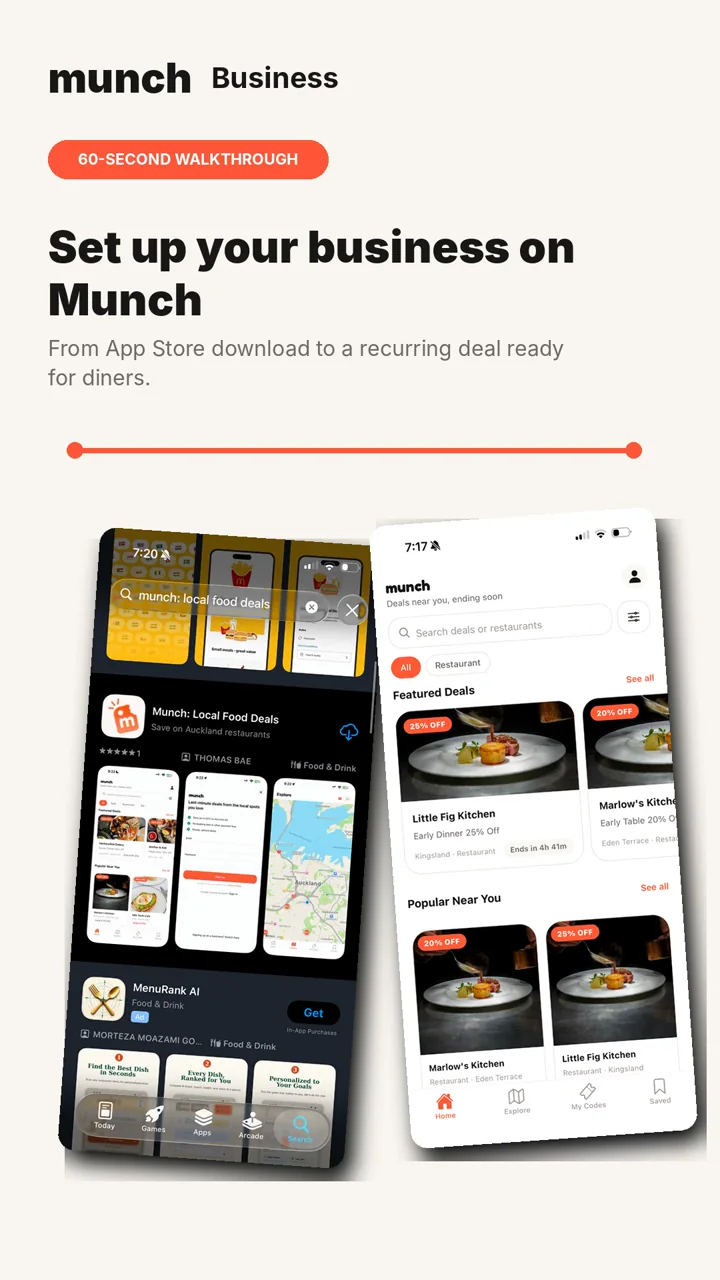
Create your first recurring deal
Follow these steps to set up your business and prepare your first offer. You do not need to wait for approval before creating your deal. Tap a step to open or close it.
Step 1: Download Munch
Search "Munch: Local Food Deals" in the App Store and download the app.
Open the App Store(opens in a new tab)
Step 2: Switch to business sign-up
Open the sign-up screen and tap "Signing up as a business? Switch here".

Step 3: Create your business account
Enter your full name, email address and password, then tap "Create account".

Step 4: Verify your email
Open the confirmation email from Munch and tap the verification link.

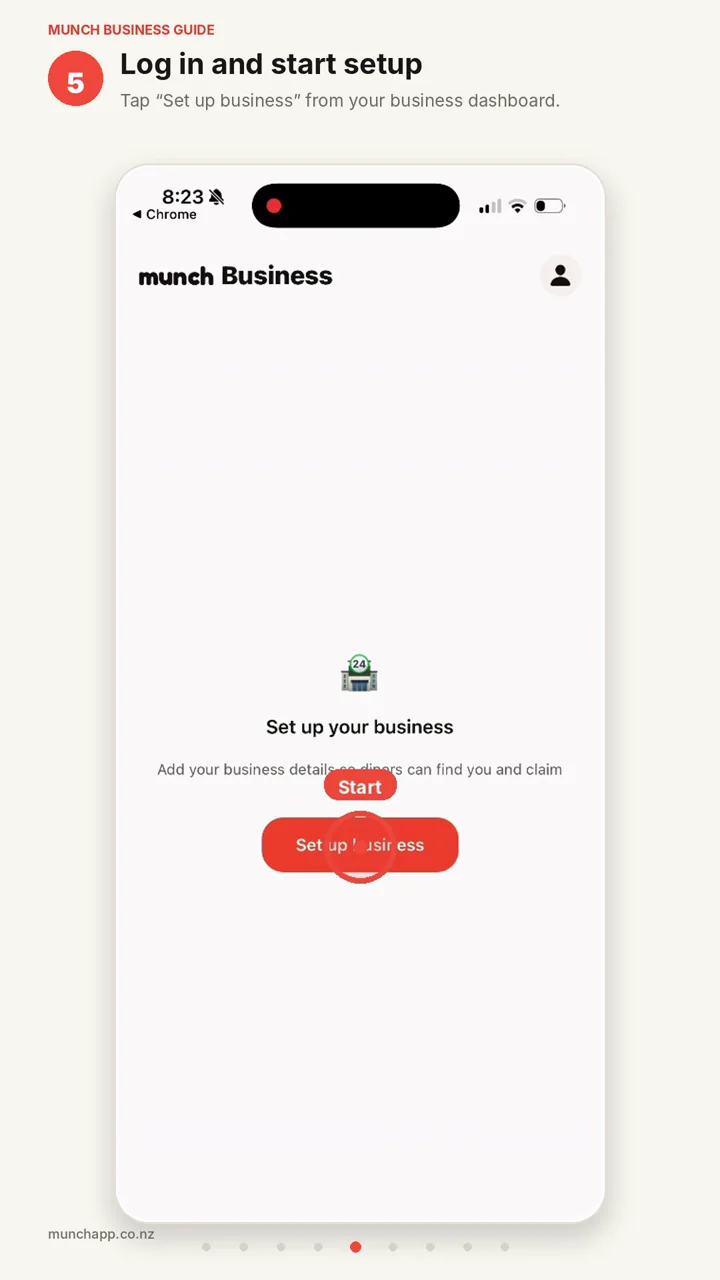
Step 5: Start your business setup
Return to Munch and tap "Set up business".
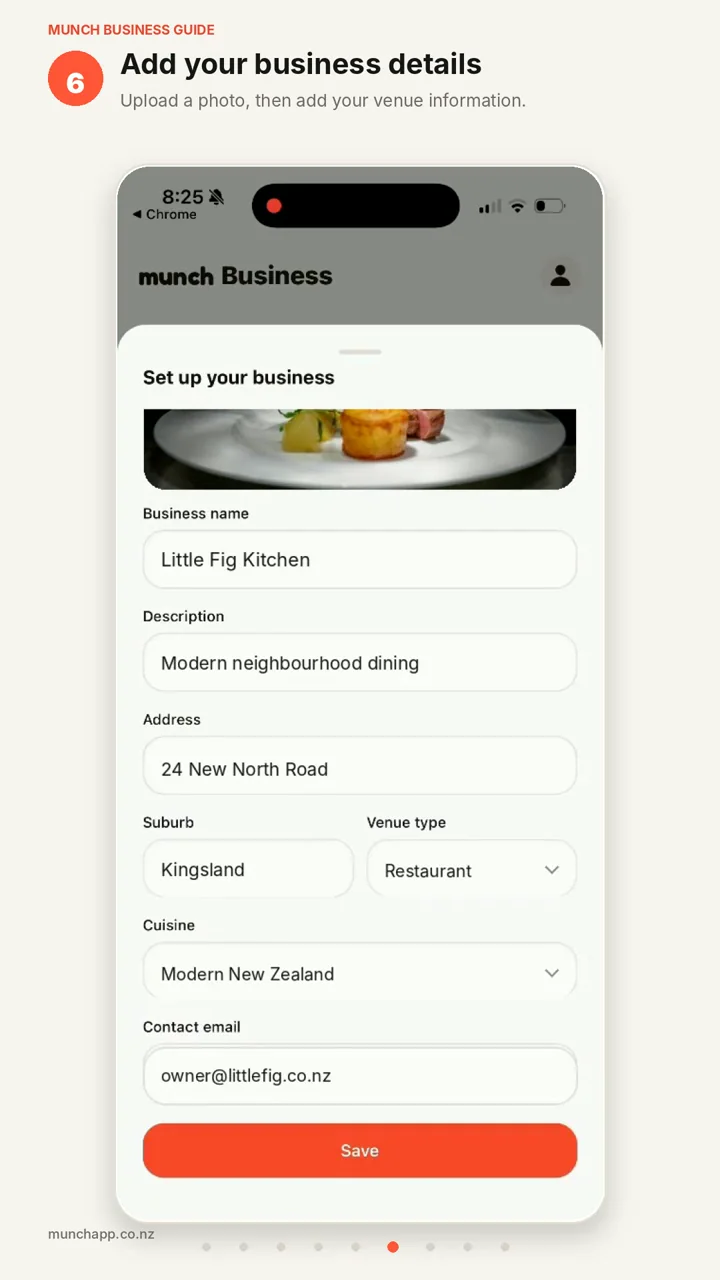
Step 6: Add your business details
Upload your business image and enter the information diners will see.
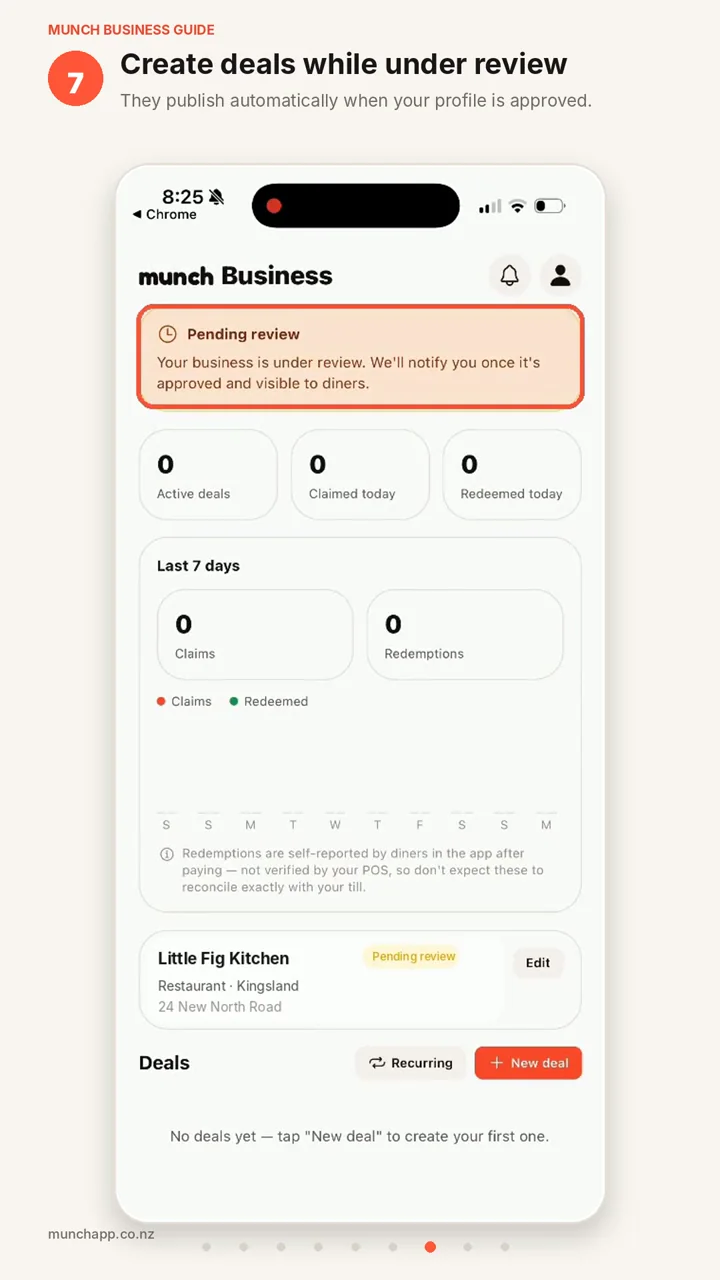
Step 7: Create deals while under review
No waiting requiredYour profile is reviewed before it appears to diners, but you can create deals immediately. Your saved deals automatically become visible once your business is approved.
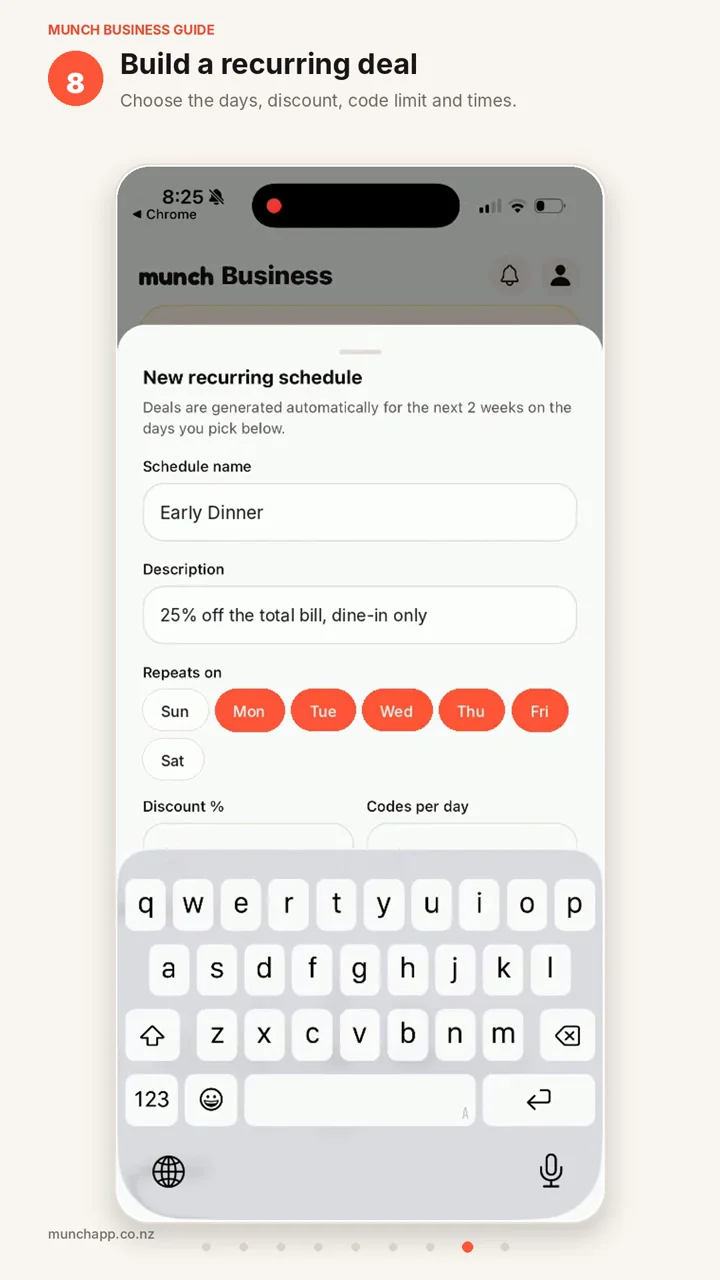
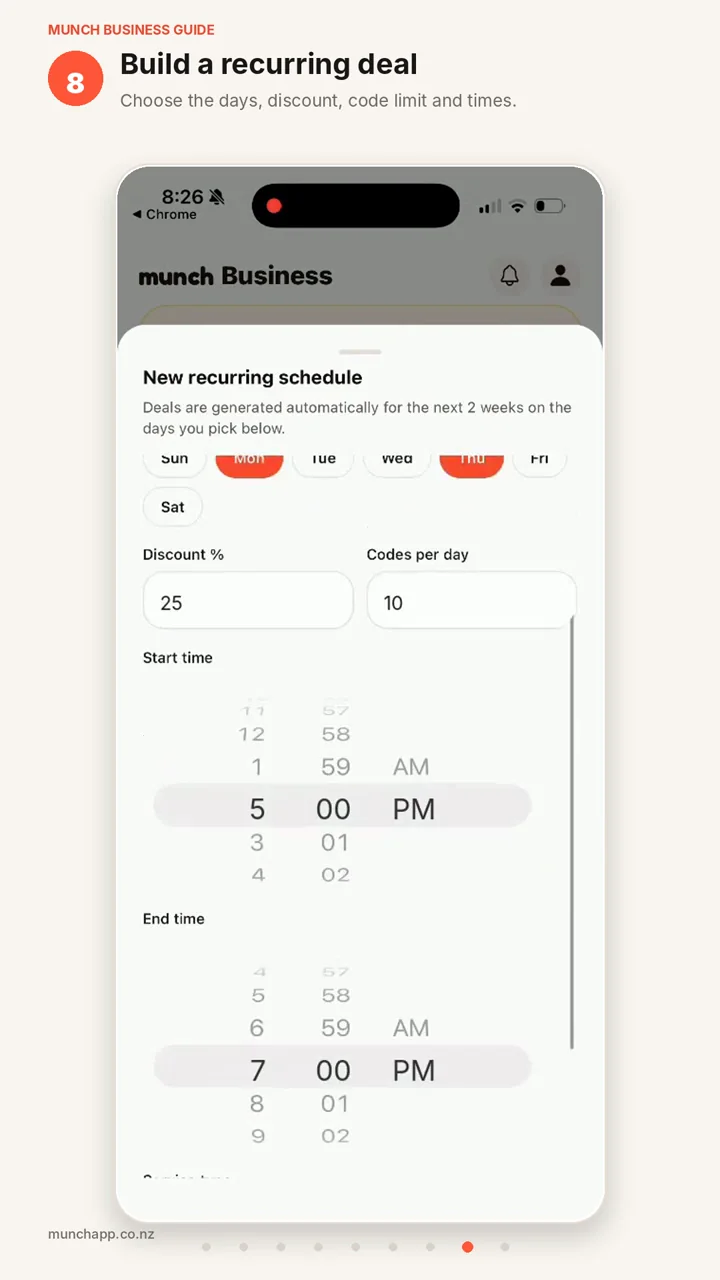
Step 8: Create a recurring deal
Enter the offer name, description, repeating days, discount, daily availability and start and end times.
Step 9: Your deal goes live
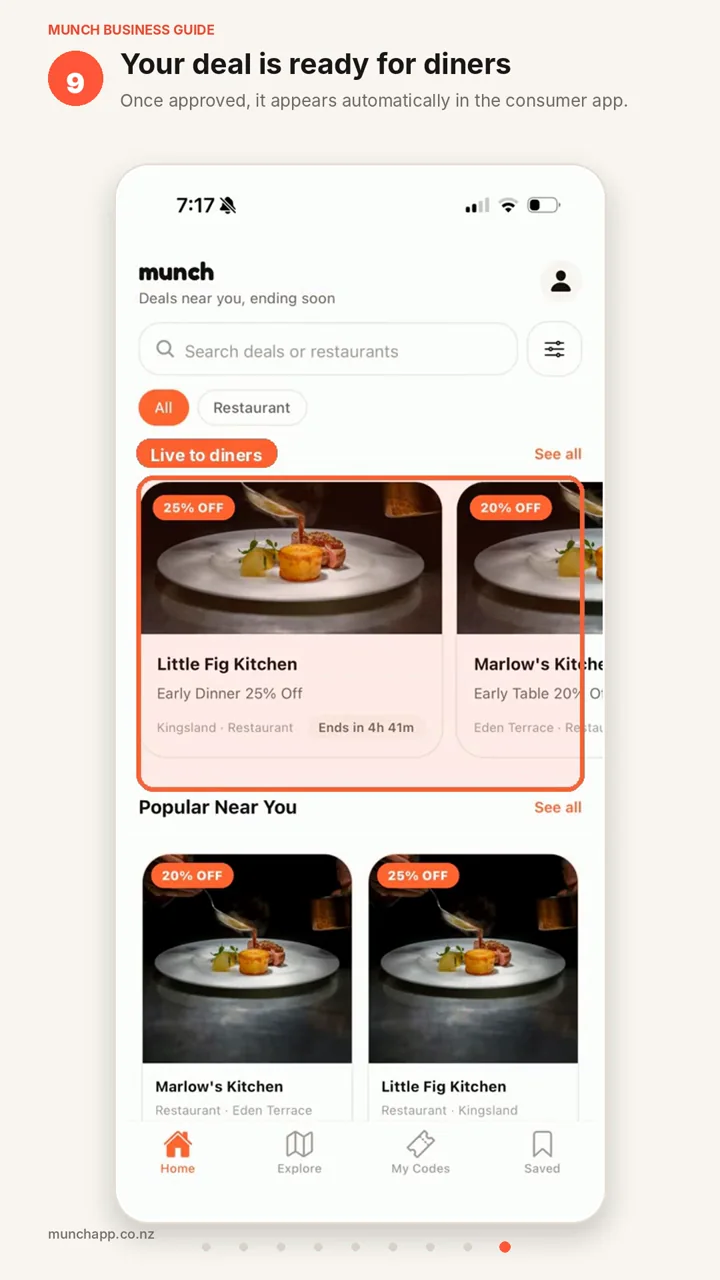
Once Little Fig Kitchen is approved, the Early Dinner deal automatically becomes visible to diners in the Munch app.
See the full setup in 60 seconds
Follow Little Fig Kitchen from downloading Munch through to creating a recurring deal that becomes visible to diners.
Read the video transcript
- 1.Download Munch.
- 2.Switch to business sign-up.
- 3.Create your account.
- 4.Verify your email.
- 5.Add the Little Fig Kitchen business details.
- 6.Submit the profile for review.
- 7.Create an Early Dinner recurring offer.
- 8.Set the discount, days, availability and times.
- 9.Once approved, the deal appears to diners.
Book a free onboarding call
Prefer to talk it through? Book a free 30-minute call with the Munch team and we’ll help you get your business and first deal set up.
Book a call(opens Calendly in a new tab)Why businesses use Munch
Fill quiet periods
Run deals only on the days and during the hours when you want more customers.
Stay in control
Choose the discount, repeating days, start and end times, and how many codes are available.
Set it once
Create recurring weekly offers that continue running until they are changed or paused.
Create now. Go live after approval.
You do not need to wait for your business review before preparing your offers. Create your recurring deal while your profile is pending. Once your business is approved, eligible deals automatically become visible to diners.
See your offer the way diners see it
Once approved, your deal can appear in Munch’s featured and nearby-deal sections, helping diners discover Little Fig Kitchen when the offer is available.
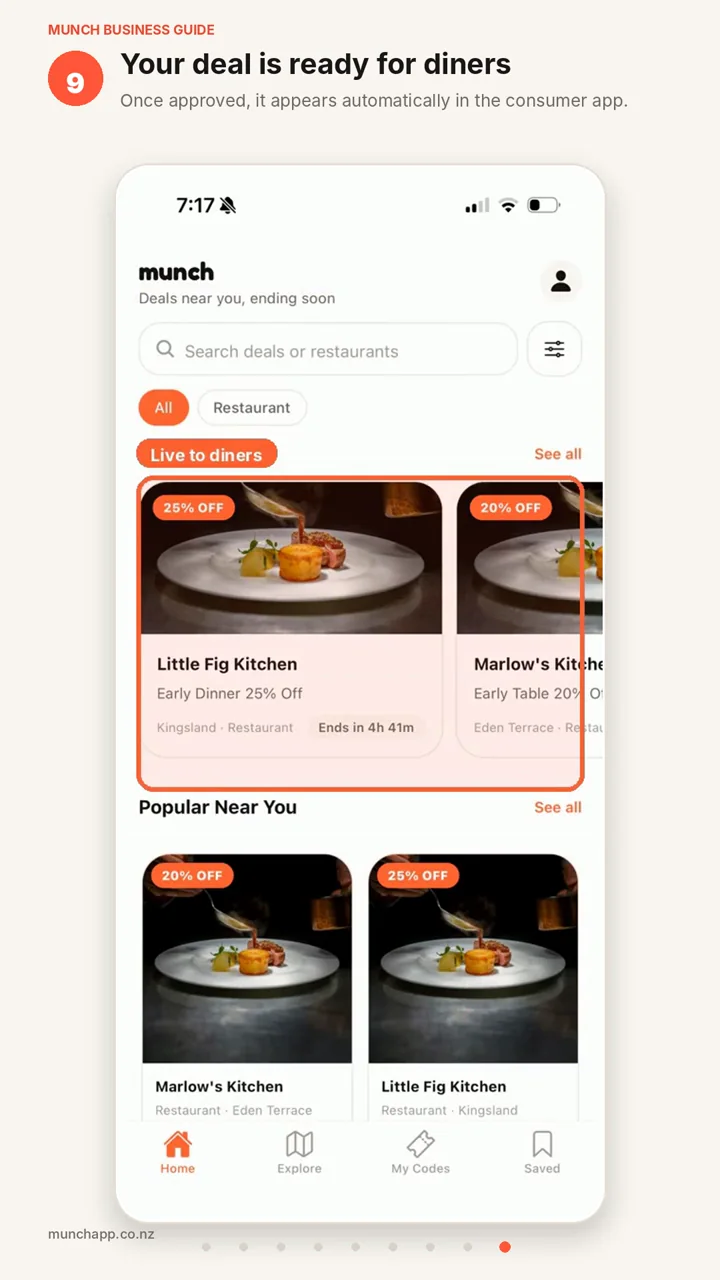
- 25% off
- Early Dinner
- Kingsland
- Ends soon
Questions from business owners
Can I create a deal before my business is approved?
What is a recurring deal?
Can I control how many customers claim an offer?
How do customers pay?
Do Munch redemptions reconcile with my point-of-sale system?

Ready to create your first Munch deal?
Download Munch, set up your business and create your first recurring offer today.